Happy Horse Expands AI Video Creation With Happy Horse 1.0 and Happy Horse 1.1
Just another WordPress site

Press Release Disclaimer: This is a press release distributed through the XPR Media network. It has not been independently verified by our newsroom.
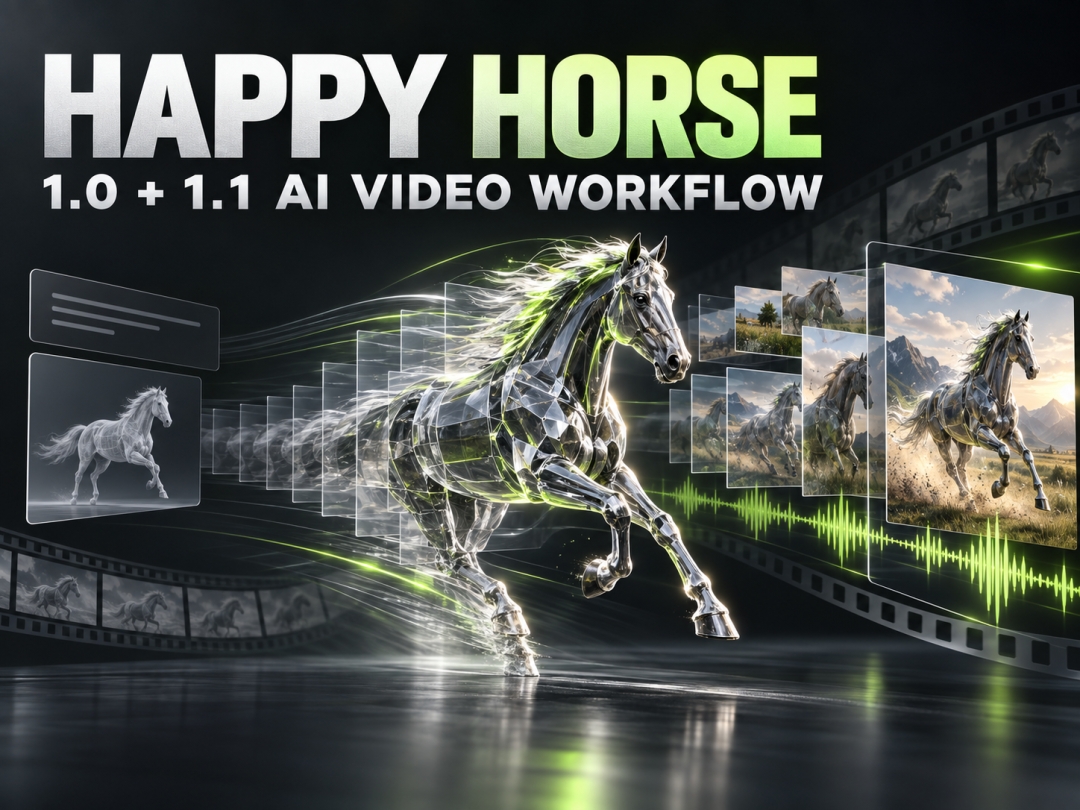

Albany, Alabama, United States – September 17, 2026 – Happy Horse is developing into a broader AI video production family with two distinct generations: Happy Horse 1.0 and Happy Horse 1.1. The platform combines prompts, still images, visual references, motion direction, native audio, multilingual lip synchronization, and delivery settings so creators can move from an idea to a reviewable short video in one browser-based workflow.
Happy Horse 1.0 established the core experience around text-to-video and image-to-video creation. Happy Horse 1.1 extends that workflow with reference-to-video generation and multi-image guidance, making the current Happy Horse family more useful for recurring characters, recognizable products, campaign styling, and other projects where visual continuity matters.
The distinction gives creators a practical choice: Happy Horse 1.0 for a prompt or first frame, and Happy Horse 1.1 for briefs that need several visual references.
What Is Happy Horse?
Happy Horse is an AI video platform centered on the HappyHorse model family developed by Alibaba’s ATH team. HappyHorse 1.0 entered public AI video evaluation in April 2026, followed by HappyHorse 1.1 in June 2026. Both versions remain visible in current model and evaluation directories, giving creators separate options for original generation and reference-guided production.
Happy Horse treats a prompt as a complete audiovisual shot covering subject, action, environment, camera, lighting, pacing, sound, and final frame. Public implementations commonly expose 720p and 1080p output, three-to-fifteen-second durations, native sound, and landscape, vertical, square, classic, or wide formats.
Happy Horse 1.0: The Foundation
Happy Horse 1.0 is the original production foundation of the Happy Horse family. Its core workflows are text-to-video and image-to-video, allowing creators to either describe a new scene or animate an established first frame.
In text-to-video mode, Happy Horse 1.0 converts a written shot brief into motion. In image-to-video mode, the uploaded image becomes the starting frame while the prompt directs movement, camera behavior, pacing, and sound. These modes support original concepts, product images, portraits, campaign frames, and storyboard panels.
Happy Horse 1.0 also supports synchronized dialogue, ambience, and sound effects. Multilingual lip sync covers English, Mandarin, Cantonese, Japanese, Korean, German, and French. Instead of generating a silent visual and assembling every sound layer afterward, the Happy Horse workflow can consider speech, motion, and environmental audio together.
Happy Horse 1.1: Reference-Guided Creation
Happy Horse 1.1 expands the family with three creation modes: text-to-video, image-to-video, and reference-to-video. The additional reference workflow is the clearest practical difference between Happy Horse 1.0 and Happy Horse 1.1.
Reference-to-video can use up to nine visual references to guide identity, product appearance, clothing, props, color, environment, or campaign styling. This helps ecommerce teams protect packaging, marketers maintain campaign direction, and storytellers reuse character references while changing action or camera movement.
Happy Horse 1.1 implementations commonly support three-to-fifteen-second clips at 24fps in 720p or 1080p. Native synchronized audio remains part of the workflow, while the broader reference system gives creators more control over what the generated scene should preserve.
Happy Horse 1.0 vs. Happy Horse 1.1
| Decision Area | Happy Horse 1.0 | Happy Horse 1.1 |
|---|---|---|
| Primary role | Direct short-video generation | Current reference-guided production |
| Text-to-video | Yes | Yes |
| First-frame image-to-video | Yes | Yes |
| Reference-to-video | Limited workflow | Dedicated mode |
| Multiple visual references | Not the primary workflow | Up to nine references in supported implementations |
| Typical output | 720p or 1080p | 720p or 1080p |
| Typical duration | Approximately 3–15 seconds | Approximately 3–15 seconds |
| Native synchronized audio | Supported | Supported |
| Best fit | Fast concepts, product animation, social clips | Campaign consistency, recurring characters, reference-led scenes |
Happy Horse 1.0 is the simpler decision when a prompt or one first frame contains enough information to define the shot. Happy Horse 1.1 is the stronger choice when the brief depends on several pieces of visual evidence or when the output must retain specific character, product, wardrobe, or brand details.
Neither version removes the need for a clear motion plan. References establish appearance, but the prompt must still explain what happens over time. The best version is the one that matches the number and type of inputs required by the shot.
Three Ways to Start a Happy Horse VideoText-to-Video
Text-to-video is best for original concepts and flexible visual identity. The prompt should name the subject, action, environment, camera move, lighting, sound, pace, and ending. One strong action usually produces a clearer short clip than several competing story beats.
Image-to-Video
Image-to-video begins with an approved first frame. Describe only the changes that should occur: subject movement, environmental animation, camera direction, lighting shift, sound, and final composition. Identify what must remain stable, especially faces, products, logos, clothing, and packaging.
Reference-to-Video
Reference-to-video is designed for Happy Horse 1.1 projects that need several visual anchors. Give each reference one clear role and identify it consistently in the prompt. Avoid uploading near-duplicate references that provide conflicting identity or styling signals.
Native Audio and Multilingual Direction
Happy Horse can generate dialogue, ambience, and sound effects together with the video. This allows audio to participate in the scene rather than functioning as a separate finishing layer. A prompt can specify footsteps, fabric movement, machinery, traffic, weather, room tone, music mood, or one concise spoken line.
Dialogue should be short enough for the selected duration. The prompt should state who speaks, when the line begins, and what other sounds remain secondary. For multilingual content, the spoken language should be explicit. Happy Horse supports lip-sync workflows across English, Mandarin, Cantonese, Japanese, Korean, German, and French.
Audio direction also affects pacing. A sudden impact suggests a different motion rhythm from quiet room tone. A product reveal may need a clean mechanical sound and a restrained music cue, while a character scene may prioritize the spoken line and reduce environmental noise.
A Practical Happy Horse Prompt Structure
A production-ready Happy Horse prompt can follow seven parts:
-
Delivery goal: State whether the clip is an advertisement, product reveal, social hook, story moment, tutorial beat, or concept preview.
-
Opening state: Define the subject, environment, lighting, pose, and camera position at the first frame.
-
Reference roles: For Happy Horse 1.1, identify what each supplied image controls.
-
Primary action: Describe one main movement with direction, speed, and emotional tone.
-
Camera and environment: Select one camera path and one or two supporting environmental motions.
-
Audio plan: Define dialogue, ambience, sound effects, or deliberate silence.
-
Ending state: Specify where the subject and camera should finish.
This structure provides temporal logic instead of a list of adjectives. For unstable motion, remove secondary actions; for identity drift, strengthen protected reference details; for crowded sound, prioritize one audio layer.
Happy Horse Use CasesEcommerce and Product Launches
Happy Horse can turn packaging, product photography, and campaign references into short demonstrations, reveals, feature moments, and social variations. Happy Horse 1.1 is particularly useful when packaging, materials, colors, and brand styling must remain recognizable.
Social Advertising
Creators can plan vertical hooks, product moments, dialogue clips, and creator-style demonstrations. Short duration rewards an immediate opening action, centered subject placement, and a clear payoff before the final frame.
Character and Story Development
Happy Horse 1.0 can prototype a scene from text or animate a storyboard frame. Happy Horse 1.1 can introduce several character and wardrobe references, making it better suited to recurring identities and reference-led narrative tests.
Previsualization and Creative Review
Agencies, filmmakers, and game teams can use Happy Horse to test camera motion, performance, lighting, atmosphere, and sound before a larger production. The resulting clip provides a shared moving reference for creative review.
Six-Step Happy Horse Workflow
-
Choose the version. Use Happy Horse 1.0 for prompt or first-frame generation. Use Happy Horse 1.1 when several references must guide the scene.
-
Choose the mode. Select text-to-video, image-to-video, or reference-to-video based on the available assets.
-
Define one shot goal. Decide what the viewer should understand or feel by the final frame.
-
Write motion and audio separately. Keep subject action, camera movement, environmental motion, dialogue, and ambience distinct.
-
Select delivery settings. Match resolution, duration, and aspect ratio to the publishing destination.
-
Review and revise. Check identity, product accuracy, motion continuity, camera stability, lip sync, sound balance, and the usefulness of the ending frame.
Frequently Asked Questions
What is Happy Horse?
Happy Horse is an AI video platform built around the HappyHorse model family. It supports video generation from prompts, first-frame images, and visual references, with configurable formats and synchronized audio.
What is the difference between Happy Horse 1.0 and Happy Horse 1.1?
Happy Horse 1.0 focuses on text-to-video and first-frame image-to-video. Happy Horse 1.1 adds a dedicated reference-to-video workflow with support for multiple visual references.
When should I use Happy Horse 1.0?
Use Happy Horse 1.0 when a written prompt or one first-frame image provides enough visual information. It is suitable for rapid concepts, product animation, social clips, and storyboard motion.
When should I use Happy Horse 1.1?
Use Happy Horse 1.1 when character identity, product design, clothing, props, environment, or campaign styling must be guided by several references.
Can Happy Horse generate synchronized audio?
Yes. Happy Horse workflows support native dialogue, ambience, and sound effects. Sound instructions should remain concise and compatible with the chosen clip length.
Which languages support lip sync?
Happy Horse supports multilingual lip synchronization for English, Mandarin, Cantonese, Japanese, Korean, German, and French.
What resolutions and durations are available?
Public Happy Horse implementations commonly provide 720p and 1080p output, fixed 24fps, and durations from three to fifteen seconds. Available settings may depend on the selected version and mode.
How many references can Happy Horse 1.1 use?
Supported Happy Horse 1.1 reference-to-video implementations accept up to nine reference images. Each reference should have a clearly defined role in the prompt.
Key Takeaways
Happy Horse now represents a two-generation AI video workflow. Happy Horse 1.0 provides the direct text and first-frame foundation, while Happy Horse 1.1 expands the process with multiple references and dedicated reference-to-video creation.
The main Happy Horse value proposition is a unified route from visual brief to moving scene: prompt or references, directed motion, flexible framing, native sound, multilingual lip sync, and short-form delivery controls. Choosing between Happy Horse 1.0 and Happy Horse 1.1 depends primarily on how much visual identity must be carried into the generated clip.
About Happy Horse
Happy Horse provides browser-based AI video creation for marketers, ecommerce teams, social creators, storytellers, agencies, and production professionals. The Happy Horse platform supports text-to-video, image-to-video, reference-guided generation, synchronized sound, multilingual dialogue, and flexible short-form delivery. Happy Horse helps creators turn written ideas and visual references into directed audiovisual scenes.
Media Contact
Company Name: Happy Horse AI Platform
Contact Person: Calvin Claire
Email: Send Email
Phone: 3575915498
Address:2656 Oak Ridge St
City: Albany
State: Alabama
Country: United States
Website: https://happy-horse.art/
Press Release Distributed by ABNewswire.com
To view the original version on ABNewswire visit: Happy Horse Expands AI Video Creation With Happy Horse 1.0 and Happy Horse 1.1